
Zimbra 8.8.15/9 end of life: upgrade checklist for 10.1
Zimbra 8.8.15, 9.0 and 10.0 get no more patches; 10.1 is the supported line. Check the new licence key, NG modules, OS, backups and rollback first.
By UNIXDEV Team · 14 min read
Original published · English edition
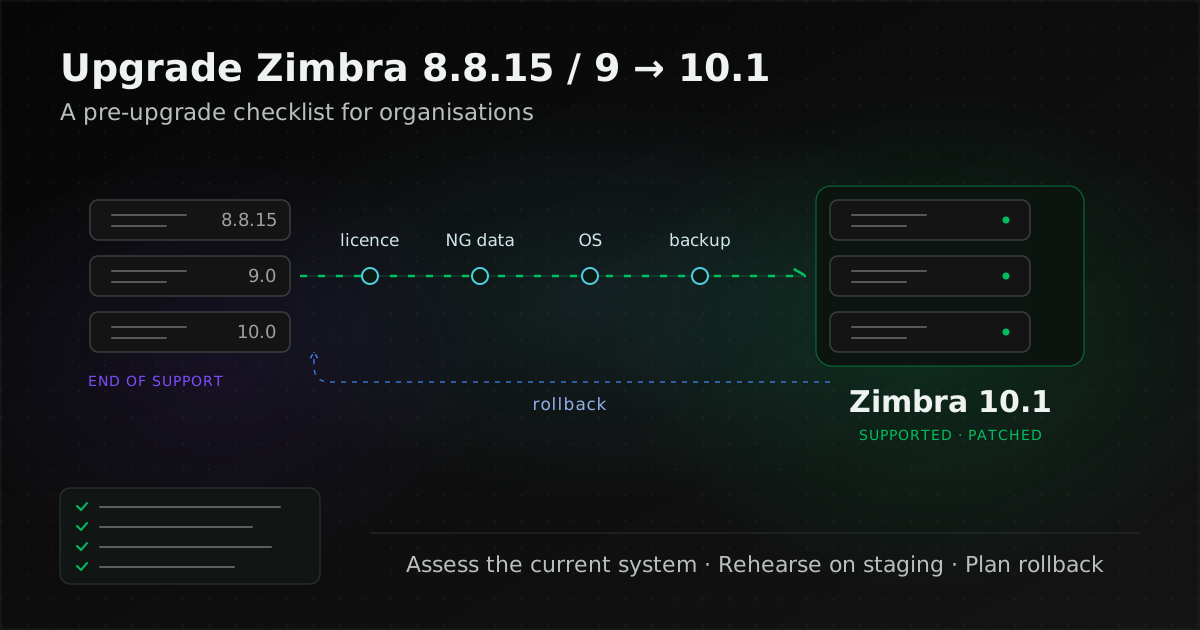
Upgrading Zimbra to 10.1 means moving Zimbra Collaboration Suite (ZCS) from 8.8.15, 9.0 or 10.0, which the vendor no longer patches, to the 10.1 (Daffodil) line, which has General Support until 31 December 2027. Running the installer is the easy part. The real work is getting the new licence key, planning around the NG modules, checking the operating system and having a tested rollback plan before the day.
This guide is for email administrators and IT managers who already run Zimbra and need to plan the upgrade. It covers the support status of each version, how the editions differ, what to prepare, whether to upgrade in place or move to a new server, and the signs that a different platform is worth considering. Product details reflect Zimbra's documentation as of 1 November 2026.
Which Zimbra versions are still supported, and when did 8.8.15 end?
As of 1 November 2026, only the 10.1.x line still receives patches. 8.8.15 reached the end of Technical Guidance on 31 December 2024, 9.0 on 30 June 2025 and 10.0 on 31 December 2025, according to Zimbra's Product Lifecycle page and the Zimbra Releases wiki.
| Version | End of General Support | End of Technical Guidance | Vendor patches |
|---|---|---|---|
| 8.8.15 (LTS), last patch: P47 | Not in the current lifecycle table | 31 December 2024 (per the wiki) | Ended |
| 9.0, last patch: P46 | 30 June 2025 (extended from 31 December 2024) | 30 June 2025 (extended from 31 March 2025) | Ended |
| 10.0 (Daffodil), last patch 10.0.18 | 30 June 2025 | 31 December 2025 | Ended |
| 10.1 (Daffodil), latest patch 10.1.21 (24 September 2026) | 31 December 2027 | 30 June 2028 | Yes, until the end of General Support |
What is the difference between General Support and Technical Guidance?
Under Zimbra's policy, General Support lasts three years from a major release's GA date and covers bug fixes, security fixes and technical support. During Technical Guidance, the vendor says there are no new releases, bug fixes or security patches; only technical support and self-help resources such as the forums, Bugzilla and the wiki remain. The formal three-year General Support period began with Daffodil (v10).
Two practical consequences follow. A version in Technical Guidance gets no patches, so it should not be counted as "supported". And once you are on 10.1, plan the next upgrade cycle before General Support ends on 31 December 2027.
Daffodil is a common point of confusion: it is the name of the 10.x release line, not an edition. The lifecycle row "Zimbra Daffodil (v10.1.x)" states that it includes future 10.x versions. If you are on an unsupported version and need time to plan, reduce the risk in the meantime using the approach in keeping a legacy system running safely.
How do Zimbra Open Source, Standard and Professional differ?
For Zimbra 10.x the vendor sells two editions, Standard and Professional, and its edition comparison says a licence is required to use Daffodil (v10). There is no Open Source Edition (OSE) in that table. The open source release many organisations installed for free was the 8.8.15 line, which is now past Technical Guidance.
- 8.8.15: Zimbra's 2020 FAQ said 8.8.15 would remain open source.
- 9.0: the same FAQ said Zimbra 9 binaries are only available with a Network Edition licence and there is no FOSS binary release; the Modern UI uses a commercial licence.
- 10.x: the Zimbra/zm-build repository shows how to build 10.1.0 and 10.0.x patches as FOSS, but the download page offers only Network Edition builds, with a trial licence.
So the source is still open, but you compile it yourself. Some third parties build binaries from the published source, but Zimbra publishes no lifecycle for FOSS builds and they fall outside vendor support. If you go this way, your team owns building, testing and tracking security fixes, and that effort belongs in any comparison with licence costs.
| Group | Features |
|---|---|
| Standard and Professional | S/MIME, Backup and Restore, Storage Management, volume compression and de-dupe, Object Storage support, Zimbra Office |
| Professional only | Outlook for Windows through Zimbra Connector for Outlook (ZCO), Zimbra Mobile (ActiveSync), Mobile Device Policy Management, Archiving and Discovery, Litigation Hold |
| Paid add-ons | MS Exchange Interoperability (requires an Exchange Web Services, or EWS, licence), Outlook for Mac (EWS), Premier Support 24x7, Professional Services |
The most reliable way to choose an edition is to look at how the current system is actually used. If users sync phones over ActiveSync, use Outlook on Windows through ZCO, or the organisation must retain mail for audit, those features are Professional only according to the comparison. Outlook for Mac users need EWS, which is an add-on.
What should you prepare before upgrading to Zimbra 10.1?
Six things: an inventory of the current system, the new licence key, NG module data, chat, the operating system and disk, and backups with a staging environment. The list below summarises the Zimbra 10 Upgrade Guide and related documents, which state that they apply to 10.0 and 10.1.0. Read the release notes for your target build as well.
1. Inventory the current system
- The version and patch level (
zmcontrol -v). If you are not on the latest patch for that version, apply it first: NG module migration is only supported from 8.8.15 and 9.0.0 on their latest patch release. - Single server or multi-server, and what each node does (LDAP, MTA, proxy, mailstore).
- Which NG modules are enabled and how much data each holds.
- Integrations: external LDAP or Active Directory, SAML or SPNEGO, applications relaying mail over SMTP and scan-to-email devices.
- The clients people actually use: webmail, Outlook through ZCO (which versions) and phones over ActiveSync.
2. Get the 10.1 licence key before you start
- According to the 10.1.0 release notes, this release introduced the License Daemon Service (LDS) and an alphanumeric licence key that replaces the old .xml licence file, and you cannot proceed with the upgrade without the new key.
- LDS must run on a node with internet access (proxy or MTA). For networks without internet access, the
zimbra-nalpeiron-offline-daemonpackage handles offline activation; test it well before the upgrade date. - The Zimbra Chat section of the Administration Guide says customers on 8.8.15, 9.0.x or 10.0.x must migrate their v2 licence to v3 before upgrading. Confirm this step with your licence reseller.
3. NG modules: plan the migration, or the data is deleted
Zimbra 10 removed the Zextras/NG modules HSM, Backup, Mobile, ABQ, Drive, Docs, Auth, Connect and Admin, and also removed IMAPD. If these modules are still installed, the installer warns that the NG module packages and their data will be deleted, so plan around the NG migration guide. It supports NG migration only for 8.8.15 or 9.0.0 on the latest patch using a rolling upgrade: upgrade the LDAP, proxy and MTA nodes to 10, install a new Zimbra 10 mailbox server, then migrate accounts and NG data from the old mailbox server, which must not be upgraded. The guide says migration is not currently supported for single-server setups with NG modules; talk to Zimbra Support or your reseller before planning.
| NG module | In Zimbra 10 |
|---|---|
| HSM | Storage Management |
| Backup | Backup & Restore (a built-in licensed feature) |
| Mobile | Zimbra Mobile Sync |
| ABQ | Zimbra Device Management |
| Delegated Admin | Delegated Admin |
| Drive | Zimbra Briefcase |
| Docs | Not in the NG migration guide's mapping; the closest Zimbra 10 feature is collaborative Briefcase editing through the Zimbra OnlyOffice package |
| Auth | Not in the NG migration guide's mapping; confirm with your reseller how your current authentication setup needs to be reconfigured |
| Connect | No replacement; the migration utility does not support Zimbra Connect data |
If users keep important content in Connect, agree with its owners beforehand whether to export it or accept that it will not come across.
4. Chat: Zimbra Talk does not migrate to Zimbra Chat
- Zimbra Chat, which replaces Talk, is supported on Daffodil 10.1.7 and later (Classic UI from 10.1.8).
- It needs a dedicated server that cannot be shared with ZCS, and only Ubuntu 22 and 24 are supported for it.
- It is chat only, with no built-in video; the documentation mentions an integration with an open source video solution.
- Basic Chat is free and Advanced Chat is a paid upgrade. Customers with a Zimbra Talk entitlement get Advanced Chat up to their Talk account limit until their Talk contract's support end date.
- There is no migration from Zimbra Talk or the hosted chat and video service.
- According to the 10.1.0 release notes, from that release chat (and video through the integrated solution) is supported on premises only; there is no hosted option.
Chat history does not come across, so tell users in advance and decide how the old data will be kept.
5. Operating system, hardware and disk
- Operating system: the 10.1 download page offers builds for RHEL, Rocky Linux and Oracle Linux 8 and 9, and Ubuntu 18.04, 20.04, 22.04 and 24.04 (x86-64). Ubuntu 24.04 support became generally available in 10.1.17. RHEL, CentOS and Oracle Linux 7 are marked deprecated, and the 10.1.21 release notes say Ubuntu 18.04 is deprecated from the next release.
- RAM and disk: the Single Server Installation Guide requires at least 8 GB of RAM for a single server, 100 GB for software and logs in production (mailbox storage is extra), and an XFS, ext3 or ext4 file system.
- Free space: the installer stops if there is not enough disk space, so check before the maintenance window.
- Package repositories: the operating system should be patched and able to reach Zimbra's package servers through yum or apt. On RHEL, install pax or spax on MTA nodes as the guide describes.
6. Backups and staging
- A backup of every user that you have test-restored, plus a snapshot if the server is virtual.
- A database check with
zmdbintegrityreportbefore upgrading (the guide lists it as optional). - A copy of any SAML and SPNEGO customisations, because the upgrade overwrites them.
- A rehearsal on staging before production, which Zimbra recommends in its What's New in 10.1.21 post. Test three areas in particular:
- External LDAP/AD: 10.1.21 moves to OpenJDK 17.0.19, which disables legacy TLS_RSA cipher suites by default. LDAP or AD servers that only support those ciphers may fail authentication.
- S/MIME: S/MIME users need to re-upload their certificates after moving to 10.1.21.
- Outlook: the client compatibility table in the Administration Guide lists ZCO support for Classic Outlook 2021, 2024 and 365 on Windows 10 and 11; Outlook 2016 and 2019 are deprecated from October 2025 (first announced in the 10.1.10 release notes).
Upgrade in place or move to a new server?
If the current server's operating system is on the 10.1 supported list, an in-place upgrade is usually simplest. If it runs RHEL/CentOS 7 or Ubuntu 18.04, or the hardware is near the end of its life, installing 10.1 on a new server and migrating the data is often the better choice: you change the operating system at the same time and keep the old server for rollback. Zimbra's Upgrade Guide covers single-server, multi-server and rolling upgrades.
| Approach | Fits when | Watch out for |
|---|---|---|
| In-place upgrade | The operating system is supported, the server has enough resources and there are no NG modules | Downtime during the upgrade; rollback depends on a tested backup or snapshot |
| Rolling upgrade (multi-server) | Several servers, and you want to reduce the time users are affected | Follow the rolling upgrade steps in Zimbra's documentation and rehearse the order on staging |
| Fresh 10.1 install, then migrate | The current operating system is out of support, the hardware is being replaced, or you are moving to a private cloud | Plan the migration of mailboxes, calendars, contacts and files, plus DNS/MX; the old server stays available, so rollback is easier |
Systems that still have NG modules: two Zimbra documents disagree. The table in the Upgrade Guide marks in-place upgrades with NG modules as supported with conditions, while the NG migration guide says in-place upgrades of single-server and multi-server setups with NG modules are not currently supported and only rolling upgrades are. Follow the NG migration guide: use a rolling upgrade to a new mailbox server. A single server with NG modules has no vendor-supported path yet, so talk to Zimbra Support or your reseller first.
The order we recommend
- Inventory the system as above, set pass criteria and define the conditions for rollback.
- Apply the latest patch for your current version.
- Obtain the 10.1 licence key and test activation (including offline activation on a closed network).
- Build staging from a copy of production and rehearse the path you will actually take, including the NG data migration if you have NG modules, then test LDAP/AD, SAML, webmail, Outlook and mobile.
- Take backups and snapshots of production and test a restore.
- Notify users and set the maintenance window from the time measured in the rehearsal.
- Do the production work: without NG modules, upgrade in place or cut over to the new server; with NG modules, upgrade LDAP, proxy and MTA, install a new Zimbra 10 mailbox server and migrate accounts and data following the NG migration guide.
- Check afterwards: inbound and outbound mail, webmail, Outlook, mobile, backup jobs and licence status.
- Follow 10.1.x release notes and patch on a schedule.
How much downtime should you expect?
Zimbra gives no standard figure, and we would not borrow one from another system. It depends on mailbox and total data size, the number of servers, the approach (in place, rolling or a new server), how much NG module data must be migrated and how long post-upgrade checks take. A figure you can plan with comes from a rehearsal on staging with a realistic amount of data.
When should you move to another platform instead?
If the only reason is "the current version is out of support", upgrading to 10.1 solves that and usually changes less. Compare it with a migration when you see these signs:
- You ran the free open source release and want neither licence fees nor the work of building it yourself.
- The features users need, such as ActiveSync, ZCO and archiving, require Professional plus add-ons, and the total cost should be compared with alternatives.
- Your team is stronger on Windows Server than Linux, or you want a cloud service run by the vendor.
- You rely heavily on Zimbra Connect or Zimbra Talk, so the chat tooling changes whichever way you go.
A comparison of Zimbra with alternatives such as IceWarp, and a staged email migration with a pilot, delta sync and rollback, are in Zimbra vs IceWarp: upgrade or migrate? (Disclosure: UNIXDEV is listed in IceWarp's partner directory as a Certified business partner in Thailand.)
Checklist before the upgrade date
- Version and patch: the current system is on its latest patch, and the target 10.1 build is decided.
- Licence: you have the 10.1 key, LDS runs on a node with internet access or offline activation is tested, and renewal dates are tracked.
- Edition: the features people actually use are in Standard or Professional, and you know which add-ons you need.
- NG modules: the setup meets the NG migration guide's rolling-upgrade conditions, the migration has been rehearsed on staging, and the owners of Connect content have agreed what happens to it.
- Chat: a plan for Zimbra Chat on a separate Ubuntu server, and users know Talk history will not come across.
- Operating system: on the supported list, not RHEL/CentOS 7 or Ubuntu 18.04, with enough disk space.
- Integrations: LDAP/AD, SAML, ZCO, mobile and S/MIME pass on staging.
- Backup and rollback: a test-restored backup, a snapshot and clear conditions for when to roll back.
- After the upgrade: who follows release notes and applies 10.1.x patches, written into a maintenance contract with a clear scope.
UNIXDEV assesses the Zimbra version and architecture you run today, plans the upgrade to 10.1 or a migration, tests cutover and rollback with your team, and supports the system afterwards under an agreed maintenance scope, through our Digital Workplace & Collaboration Platforms and DevOps, SRE and managed operations services. The recommended first step is an assessment of the current system, so the real scope of the upgrade is clear. Send your version, patch level, server count and NG modules through the project brief form.
Sources and further reading
- Zimbra — Product Lifecycle
- Zimbra Releases (wiki)
- Zimbra Daffodil 10.1.21 release notes
- Zimbra blog — What's New in Zimbra 10.1.21 (Daffodil)
- Zimbra Daffodil 10.1.17 release notes
- Zimbra Daffodil 10.1.10 release notes
- Zimbra Daffodil 10.1.0 release notes
- Zimbra — Edition comparison
- Zimbra — Download
- Zimbra blog — Is Zimbra open source? FAQs (2020)
- GitHub — Zimbra/zm-build
- Zimbra 10 Upgrade Guide
- Zimbra 10 NG Migration
- Zimbra 10 Administration Guide
- Zimbra 10 Single Server Installation Guide
- Related: Zimbra vs IceWarp
- Related: keeping a legacy system running safely
- Related: MA and SLA contract checklist
- All digital workplace articles
By the UNIXDEV Team · 1 November 2026 · Product details reflect Zimbra's documentation as of the date of writing (1 November 2026) and may change. Check the release notes of the build you plan to install before upgrading.