
Zimbra vs IceWarp: business email compared, upgrade or migrate?
Zimbra Collaboration Suite (ZCS) and IceWarp can both be self-hosted. Zimbra 10.1 runs on Linux (Standard or Professional); IceWarp runs in the cloud or self-hosted on Windows or Linux, priced per user. Choose by team, clients and data location.
By UNIXDEV Team · 16 min read
Original published · English edition
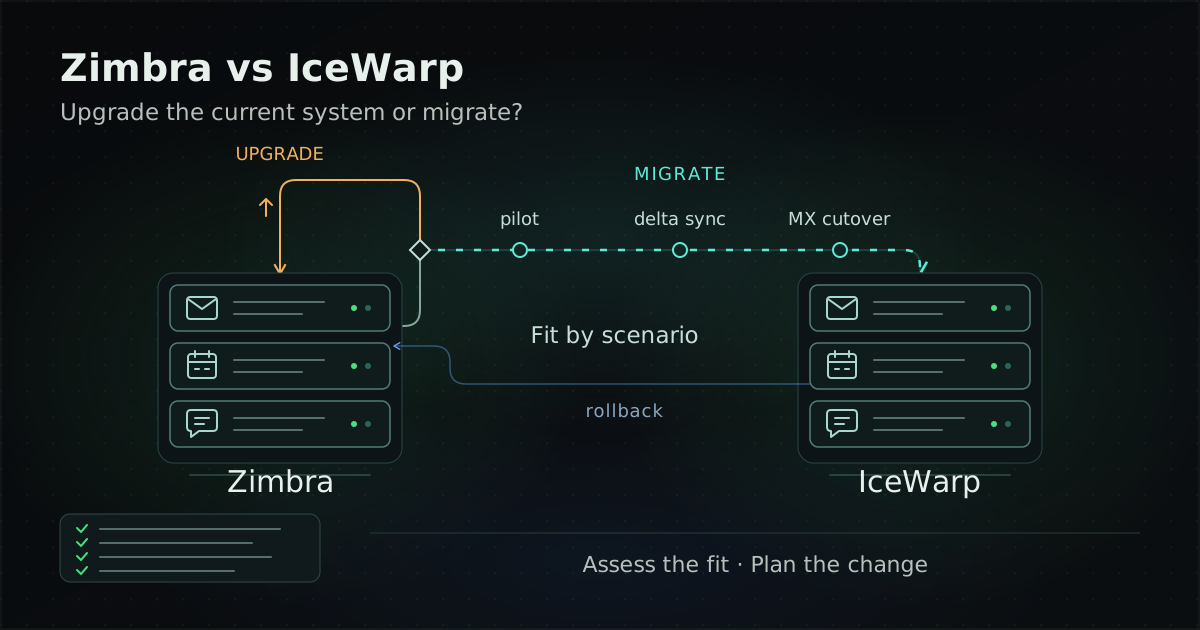
Zimbra Collaboration Suite (ZCS) from Synacor and IceWarp (a Czech vendor) are both business email and collaboration suites that you can run on your own infrastructure, but they take different approaches. The current Zimbra release (10.1 Daffodil) runs on Linux and is licensed as Standard or Professional. IceWarp (Epos 14.x) is available as a cloud service managed by IceWarp or self-hosted on Windows Server or Linux, licensed as a per-user subscription according to IceWarp's pricing page. Which one fits depends on your organisation's situation, not the brand.
This guide is for IT managers, email administrators and executives deciding on business email. It is organised around the three situations we see most often: you run Zimbra and want to stay; you run Zimbra and are considering a move to IceWarp; or you are choosing a new mail system or an alternative to Exchange and Microsoft 365. It includes a comparison table, migration steps and the Thai regulations to be aware of. Product details reflect vendor documentation as of 31 October 2026.
What is the difference between Zimbra and IceWarp?
The main differences are the supported operating systems, deployment options, licensing model and how each supports Outlook and mobile devices. Both cover email, calendar, contacts, chat and documents, but some features depend on the licence tier or need an add-on, so compare against the edition you would actually buy.
Disclosure: UNIXDEV is listed in IceWarp's partner directory as a Certified business partner in Thailand, and we deploy, migrate and support both Zimbra and IceWarp. This table compares each vendor's own documentation; it does not declare a winner.
| Topic | Zimbra Collaboration Suite (ZCS) | IceWarp |
|---|---|---|
| Vendor | Synacor | IceWarp, founded in the Czech Republic in 2001, headquartered in Prague |
| Current release | 10.1 (Daffodil); latest patch 10.1.21, released 24 September 2026 | IceWarp Server Epos Update 3 (14.3.x); the latest build in the changelog is 14.3.0.8, released 23 June 2026 |
| Deployment | Self-managed on-premises, in a private cloud or in regional data centres | Cloud managed by IceWarp, or self-hosted on your own infrastructure |
| Operating systems (self-hosted) | Linux x86-64: RHEL, Rocky Linux and Oracle Linux 8 and 9; Ubuntu 20.04, 22.04 and 24.04 LTS (RHEL/CentOS/Oracle Linux 7 builds are marked deprecated) | Windows Server 2019 or newer, or Red Hat / Rocky Linux 8.8 and 9.2, per the Epos Update 3 changelog |
| Licensing | Two editions, Standard and Professional. 10.1 uses a new licence key with the License Daemon Service (LDS); licences for earlier editions do not work with 10.1 | According to the pricing page: per-user subscription, monthly or annual, in Core, Essential and Business tiers, with a 30-day trial (confirm self-hosted licence terms in your quote) |
| Mobile (ActiveSync) | Exchange ActiveSync (EAS) is a licensed feature; the edition comparison lists it for Professional only | Supports EAS 16.0 and 16.1 and offers a mobile app; confirm which self-hosted tier includes EAS in your quote |
| Outlook | Outlook for Windows through Zimbra Connector for Outlook (ZCO), Professional only; Outlook for Mac uses EWS, which needs an additional licence | Outlook Sync 14.0.0 or newer is required with Epos Update 3; IceWarp Desktop Client is optional. Confirm which self-hosted tier includes Outlook Sync in your quote |
| Webmail | The Modern Web App works on desktop, mobile and tablet; the Classic Web App supports desktop browsers only. The edition comparison lists both in Standard and Professional | WebClient in the browser (Chrome 112+, Firefox 125+, Safari 16+, Opera 104+, Edge 112+) per the technical specification, plus access from the mobile app or Desktop Client |
| Chat and meetings | Zimbra Chat (from 10.1.7) runs on a dedicated server. Basic Chat is free; Advanced Chat is paid. No built-in video, but it integrates with Jitsi Meet | TeamChat and Conferences (WebRTC audio, video and screen sharing); Conferencing & Recording is in Essential and above on the pricing page (cloud plans). Confirm the self-hosted tier in your quote |
| Co-editing documents | Zimbra Office enables co-editing of Briefcase documents; it requires the zimbra-onlyoffice package and is governed by a licence limit. The edition comparison lists it in both Standard and Professional | Documents & Collaborative editing is in Essential and above on the pricing page (cloud plans), plus a document management system with file locking and versioning. Confirm the self-hosted tier in your quote |
| Archiving and backup | Archiving and Discovery and Litigation Hold are Professional only (archiving can consume additional mailbox licences). Backup and Restore is in both Standard and Professional per the edition comparison | The technical specification lists Automatic Message Archiving and Automatic Backup (settings, databases, mails) but does not say which tier includes them; confirm in your quote |
IceWarp tier details in the table come from its pricing page, which mainly shows the cloud plans. Both vendors change editions, licensing and supported operating systems regularly, so before deciding, ask for edition documentation and a quote that lists the features you need.
What should you look at for security patches?
A mail system accepts connections from the internet all the time, so it is a target whichever brand you run. What matters is whether the vendor ships patches regularly and whether you are on a version that still receives them. Examples from both sides, from NVD and vendor documentation:
- Zimbra: according to NVD, CVE-2026-73570 is an OS command injection flaw affecting systems with zimbra-snmp installed and SNMP notifications enabled. It is fixed in 10.1.20, and the vendor recommends 10.1.21 as a High Priority upgrade. This is why staying on the supported 10.1.x line matters.
- IceWarp: according to NVD, CVE-2025-14500 is a command injection flaw in the handling of the X-File-Operation header that allows unauthenticated remote code execution. It was published on 23 December 2025 and lists 14.2.0.5 as affected; NVD does not name a fixed build, so check with the vendor. Separately, the Epos Update 3 changelog records that build 14.3.0.7 (21 June 2026) fixed multiple vulnerabilities to prevent targeted attacks, and build 14.3.0.6 (18 June 2026) fixed XSS issues.
The takeaway is not to count which brand has more vulnerabilities. Whichever system you choose, you need a process for following vendor advisories and applying patches on a schedule.
Which Zimbra versions are end of life?
As of 31 October 2026, Zimbra 8.8.15, 9.0 and 10.0 are past their end-of-support dates on the vendor's schedule. The supported line is 10.1.x, which the vendor says also covers future 10.x versions.
| Version | General availability | End of General Support | End of Technical Guidance |
|---|---|---|---|
| 8.8.15 (Joule, LTS), final Patch 47 | 22 July 2019 | Not in the current lifecycle matrix | 31 December 2024 |
| 9.0 (Kepler), final Patch 46 | 7 April 2020 | 30 June 2025 (extended from 31 December 2024) | 30 June 2025 (extended from 31 March 2025) |
| 10.0 (Daffodil), final patch 10.0.18 | 8 March 2023 | 30 June 2025 | 31 December 2025 |
| 10.1 (Daffodil), latest patch 10.1.21 | 16 July 2024 | 31 December 2027 | 30 June 2028 |
If you still run 8.8.15, 9.0 or 10.0, an internet-facing mail system is outside the vendor's support schedule. Plan an upgrade or migration, and in the meantime reduce risk using the approach in keeping a legacy system running safely.
Is Zimbra still open source, and can you download it for free?
Most of the source code is still open, except the Modern UI, but the vendor no longer offers a free installer. Starting with Zimbra 9, the vendor's 2020 FAQ stated that binaries are available only with a Network Edition licence and that the Modern UI uses a commercial licence. Source code for the other components remains in the Zimbra organisation on GitHub. We found no newer statement covering 10.x.
- The zm-build repository contains scripts for producing a FOSS build yourself; it does not distribute binaries.
- The Zimbra download page offers Zimbra Collaboration 10 with a trial licence, and no free or open-source build.
If you build from source, your team owns the build, the testing and the tracking of security patches, which is a real cost rather than something free. Before building, check that a source tag exists for the patch you need.
What is IceWarp, and what is the current version?
IceWarp is a business email and collaboration suite from the Czech Republic, founded in 2001 and headquartered in Prague. It positions itself as an alternative to Microsoft 365 and Google Workspace and is available as a cloud service run by IceWarp or self-hosted by the customer.
The current on-premises line is IceWarp Server Epos (14.x), which followed the 13.x line known as Deep Castle 2. According to the Epos Update 3 changelog, the latest build in the file is 14.3.0.8 (23 June 2026), and the first build available on-premises was 14.3.0.3 (8 April 2026). The same changelog lists supported systems as Windows Server 2019 or newer and Red Hat / Rocky Linux 8.8 and 9.2.
Note: IceWarp's technical specification page still lists Windows Server 2016 and Alma Linux 9, which does not match the Update 3 changelog. Confirm the operating system with the vendor or a partner before you install.
Already on Zimbra: should you upgrade or move to IceWarp?
If Zimbra still meets the needs of your users and your operations team, upgrading to 10.1 usually involves less change. If you want a different operating or licensing model, such as a vendor-managed cloud or a team that prefers Windows Server, moving to IceWarp is worth evaluating. Both paths need planning, because upgrading from an older release to 10.1 also changes several things.
Scenario A: stay on Zimbra and upgrade to 10.1
Points to prepare before upgrading, based on Zimbra's documentation:
- New licence: 10.1 needs a new licence key and requires the License Daemon Service (LDS). Licences for earlier editions do not work with 10.1.
- An expired licence stops the system: the Zimbra 10 Administration Guide says that when the licence expires, mailstore services stop and access through the Admin Console, webmail, IMAP, CalDAV, CardDAV, ActiveSync, EWS and ZCO is blocked. Make sure renewal dates are tracked.
- NG modules are removed: Zimbra 10 removed the Zextras/NG modules HSM, Backup, Mobile, ABQ, Drive, Docs, Auth, Connect and Admin. If your current system uses them, plan replacements, such as Zimbra 10's built-in backup manager.
- Chat: Zimbra Chat does not support migrating data from Zimbra Talk.
- Operating system and hardware: a single server needs at least 8GB of RAM; supported file systems are XFS, ext3 and ext4; NFS is not supported for Store, HSM or Backup. If you are still on Ubuntu 18.04, plan an operating system move as well, because support ends with the release after 10.1.21; RHEL, CentOS and Oracle Linux 7 builds are already marked deprecated.
- External LDAP/AD: 10.1.21 upgrades to OpenJDK 17.0.19 and disables legacy TLS_RSA cipher suites by default. If you connect to an external LDAP or Active Directory, test the connection before upgrading production.
10.1.21 also adds Mail Recall in the Modern Web App and Zimbra Desktop, and a SAML Setup Wizard in the Admin Console for per-domain identity provider routing. After the upgrade, the ongoing priorities are patching on a schedule and a maintenance contract with a clear scope.
Scenario B: on Zimbra and considering a move to IceWarp
Before deciding to move, answer these questions:
- Why move: a different licensing model, a vendor-managed cloud, a team that prefers Windows Server, or a specific feature? If the reason is that the current release is out of support, upgrading Zimbra also solves that, so compare both paths.
- Clients in real use: how many users rely on Outlook through ZCO, mobile through ActiveSync and webmail, and which IceWarp tier covers them.
- Data other than email: how calendars, contacts, Briefcase files, shared folders, filters and signatures will move.
- Connected systems: applications that send through SMTP relay, LDAP/AD, scan-to-email devices and systems that read mailboxes automatically.
Once these answers are clear, the migration steps are in the next section.
How do you migrate email from Zimbra to IceWarp?
Migrate in phases: discovery, a pilot, an initial sync, delta syncs, the DNS/MX cutover, SPF, DKIM and DMARC, then keep the old system available for rollback for a period. IceWarp's migration page offers its own migrator tools for Microsoft 365, Google Workspace, Exchange and Kerio; for Zimbra as the source, it recommends IMAP Sync, a third-party tool.
- Discovery and planning: list mailboxes, data volumes, aliases, distribution lists, shared folders and connected systems. Set exit criteria for each phase and the conditions that trigger a rollback.
- Prepare the target and pilot: install IceWarp and test with a small group that includes webmail, Outlook and mobile users, then fix issues before widening the rollout.
- Initial sync: use IMAP Sync to copy mail while users keep working on Zimbra. IMAP moves email only; check and test separately how calendars, contacts and files will move during the pilot.
- Lower DNS TTLs in advance: reduce the TTL on MX and related records before cutover day so that both the switch and any rollback take effect quickly.
- Delta sync and MX cutover: sync the differences, then switch MX and client settings in the agreed window. Run another delta sync to collect mail that still reached the old system while DNS propagated.
- Sender authentication: update SPF to include the new sending IPs, create DKIM keys on the new system and watch DMARC reports after the switch (details below).
- Keep the old system for rollback: keep the Zimbra licence and access valid throughout the rollback window, because on Zimbra 10 an expired licence stops the mailstore and blocks IMAP. If rollback conditions are met, point MX back and sync mail received by IceWarp in the meantime back to Zimbra.
Treat any vendor's "zero downtime" marketing line as a target, not a guarantee. The real duration and impact depend on data volume and preparation.
What SPF, DKIM and DMARC changes are needed when you move mail systems?
Whenever the sending server changes, check that all three records match the new system, or outbound mail may be rejected or land in spam.
- SPF (RFC 7208): lists the IPs or services allowed to send mail for the domain.
- DKIM (RFC 6376): signs outbound mail. The new system needs its own key, with the public key published in DNS.
- DMARC (RFC 9989): sets the policy when SPF or DKIM fails and requests reports (reporting is specified in RFC 9990 and 9991). Since May 2026, RFC 9989 has replaced the earlier RFC 7489, so material that still cites RFC 7489 is out of date.
- MTA-STS (RFC 8461): if the domain publishes a policy, update the MX list in it to match the new system.
Large mailbox providers already enforce these requirements. Google has required since 1 February 2024 that all senders use SPF or DKIM, have valid forward and reverse DNS (PTR), use TLS and keep spam rates below 0.3%; bulk senders (5,000 or more messages a day to Gmail accounts) need SPF, DKIM and DMARC. Yahoo began enforcing similar requirements in February 2024, including valid forward and reverse DNS for sending IPs.
Starting fresh or replacing Exchange and Microsoft 365: what should you look at?
Start from your organisation's constraints, not a feature list. Four questions matter most:
- Where must the data live: if policy or contracts require data in a data centre you control, both Zimbra and self-hosted IceWarp can run in your own data centre or private cloud. IceWarp Cloud is operated by IceWarp, so confirm the data location with the provider.
- What your team can operate: Zimbra runs on Linux only. Self-hosted IceWarp runs on Windows Server or Red Hat / Rocky Linux.
- Which clients users need: organisations leaving Exchange usually have many Outlook users. Zimbra supports Outlook for Windows through ZCO in the Professional edition, and Zimbra's documentation says Outlook on Windows cannot use ActiveSync with Zimbra. IceWarp uses Outlook Sync. Test with the Outlook versions you actually run.
- Where you are migrating from: IceWarp has its own migrator tools for Exchange, Microsoft 365 and Google Workspace. If Zimbra is the target, check which migration tools support your source.
Beyond these two, people searching for Zimbra alternatives often come across Carbonio from Zextras. This article does not cover Carbonio; if it is on your list, compare it on the same criteria. For an organisation-wide move to the cloud, see the cloud migration guide.
Business email in Thailand: what do Computer Crime Act log retention and PDPA breach notification require?
An organisation that runs email for its own staff may count as a service provider that must retain computer traffic data, and a data breach triggers PDPA notification duties. The points relevant to choosing or migrating a mail system:
- Computer Crime Act, section 26 (as amended by the second Act of 2017): service providers must retain computer traffic data for at least 90 days from when it enters the system, and an official may order longer retention case by case, up to two years.
- Ministry of Digital Economy and Society Notification on criteria for service providers' retention of computer traffic data (2021): Annex A lists providers of network access for organisations, such as government agencies, companies and educational institutions, and mail server service providers, with SMTP logs given as the traffic data for mail servers. An organisation running its own mail server should review Annex A with legal counsel rather than assume it is out of scope.
- PDPA, section 37(4): after a personal data breach, the data controller must notify the Office of the Personal Data Protection Committee without delay and, where feasible, within 72 hours of becoming aware of it, unless the breach is unlikely to result in a risk to people's rights and freedoms. High-risk breaches must also be notified to data subjects.
In practice, when you migrate, decide where the old system's logs will be kept and for how long so they do not disappear when the old server is shut down, and make sure incident detection and reporting can work within the PDPA timeframe.
What should you check before choosing Zimbra or IceWarp?
- Version and support: which release you run today, when its support ends, and how long the target release will be supported.
- Operating system: whether your team runs Linux or Windows Server, and whether the OS version you plan to use is on the vendor's latest supported list.
- Licensing: which edition or tier includes the features you need (ActiveSync, Outlook, archiving, chat, meetings, co-editing) and which add-ons you must buy.
- Clients: test the Outlook versions you use, iOS and Android devices, and webmail during the pilot.
- Data location: where mail data and backups are stored, and whether that matches your policies.
- Migration and rollback plan: exit criteria for each phase, rollback conditions and how long the old system will be kept.
- Sender authentication: SPF, DKIM, DMARC and reverse DNS for the new system are ready before the MX change.
- Logs and law: a plan to retain traffic data for at least 90 days and a PDPA incident notification procedure.
- Operations after go-live: who applies patches, who follows security advisories, and the agreed SLA targets.
UNIXDEV deploys, migrates and supports Zimbra and IceWarp, including Zimbra upgrades to 10.1, migrations from Zimbra or Exchange and post-deployment maintenance, within an agreed scope, as part of our digital workplace and collaboration platforms service.
References and further reading
- Zimbra Releases (wiki)
- Zimbra Daffodil 10.1.21 release notes
- Zimbra blog — What's New in Zimbra 10.1.21 (Daffodil)
- Zimbra — Product Lifecycle
- Zimbra 10 Administration Guide
- Zimbra 10 Single Server Installation Guide
- Zimbra — Edition comparison
- Zimbra — Download
- Zimbra blog — Is Zimbra open source? FAQs (2020)
- GitHub — Zimbra/zm-build
- IceWarp — Company
- IceWarp Server Epos Update 3 changelog (14.3.0)
- IceWarp — Technical specification (self-hosted)
- IceWarp — Pricing
- IceWarp — Migration
- IceWarp — Worldwide partners
- NVD — CVE-2026-73570
- NVD — CVE-2025-14500
- RFC 7208 — SPF
- RFC 6376 — DKIM
- RFC 9989 — DMARC
- RFC 8461 — MTA-STS
- Google — Email sender guidelines
- Yahoo — Sender best practices
- Lawplus — Amendments to the Computer Crimes Act (2017)
- MDES Notification on criteria for service providers' retention of computer traffic data, 2021 (Thai PDF)
- Personal Data Protection Act 2019, unofficial English translation (PDF)
- Related: Keeping a legacy system running safely
- Related: Cloud migration guide
- Related: MA and SLA contract checklist
Article by the UNIXDEV Team · 31 October 2026 · Product details reflect vendor documentation as of this writing (31 October 2026) and may change. The notes on Thai law are for planning only, not legal advice.