
Inheriting an undocumented legacy system with nobody left: where to start
Protect what exists first: take a full backup, test a restore and capture the server state before touching anything. Then rebuild the inventory from the running system, build an SBOM, observe logs, write characterization tests and document as you learn before deciding to maintain or modernize.
By UNIXDEV Team · 12 min read
Original published · English edition
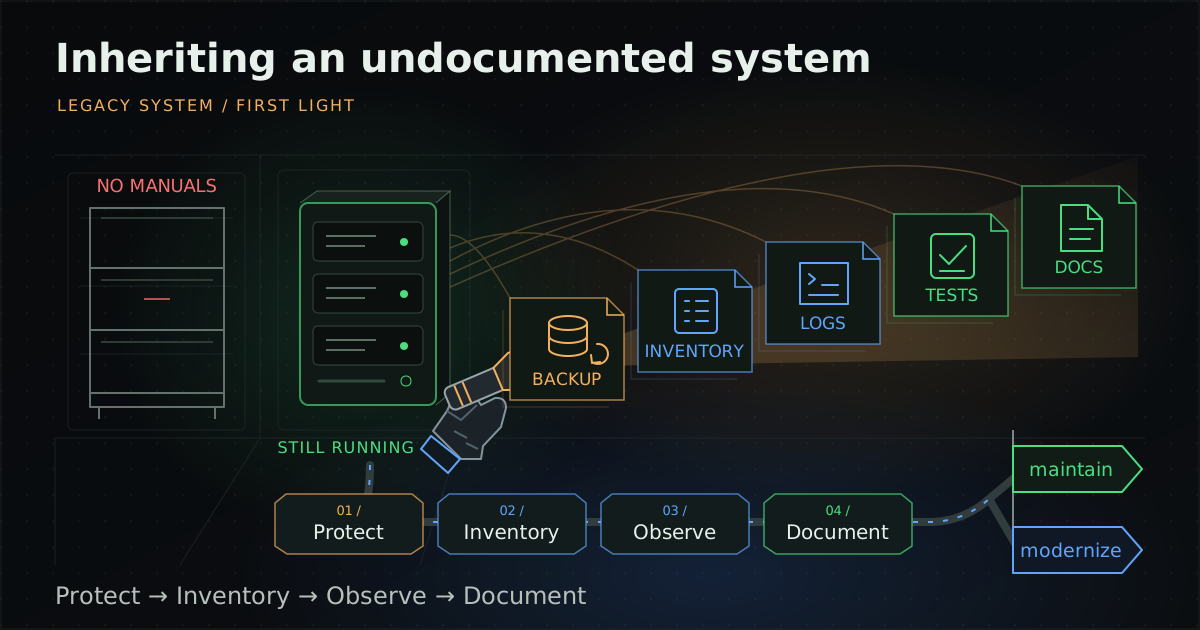
A system still runs every day, but there is no documentation, nobody knows which source code matches what is deployed, the developer who wrote it has left, and the vendor that built it has closed or cannot be reached. Then the system lands on your team.
This guide is for IT managers and new maintainers who inherit a system like this. It differs from our vendor handover checklist, where an outgoing team is still available to hand over and answer questions. Here nobody is left to ask, so the knowledge has to be recovered from the running system itself.
Where do you start when you inherit an undocumented legacy system?
Start by protecting what exists, not by fixing it. Take a complete backup and prove it can be restored, then explore the system layer by layer. With no documentation and nobody left who wrote it, one wrong change may have no known way back.
Recommended order:
- Protect: full backup, restore test and a record of the current server state.
- Inventory: servers, processes, ports, scheduled jobs, configuration and integrations, taken from the running system.
- Dependencies: a list of libraries and components (an SBOM), part of the Inventory phase in the table below.
- Observe: logs and telemetry showing how the system really behaves.
- Characterize: tests that record current behaviour before code changes.
- Document: lightweight diagrams, runbooks and decision records, written along the way.
- Decide: keep maintaining the system or modernize it.
What should you back up and capture before touching the system?
Back up the data, the application files and the server configuration, then test a restore on a different machine before changing anything. An untested backup cannot be relied on, and undocumented systems often keep important files in unexpected places.
One extra point matters for an inherited system: the CISA #StopRansomware Guide recommends storing source code or executables with offline backups, because the files on the server may be the only copy known to work. For the 3-2-1 rule and offline backups in more detail, see how to keep a legacy system running safely.
Also capture a snapshot of the server as you received it: configuration directories, installed packages, services and scheduled jobs. If it runs on a virtual machine, take a snapshot or image. This baseline shows what changed when something breaks later.
How do you rebuild the inventory from a running system?
Treat the running system as the most reliable documentation you have. Survey it category by category with read-only commands and tools, record the results somewhere the team shares, and change nothing at this stage.
On Linux, safe read-only commands include ps aux (running processes), ss -tulpn (listening ports; needs root to show the process name for every port), systemctl list-units --type=service and systemctl list-timers (services and timers), crontab -l for each user plus the /etc/cron.* directories (scheduled jobs), and df -h (disks). On Windows Server, check Services, Task Scheduler and IIS Manager.
| Category | What to find | Why it matters |
|---|---|---|
| Servers and environments | Every related machine, operating system, disk and network | Shows the real scope and which machine is production |
| Processes and ports | Running programs, the users they run as, listening ports | Shows the components and where connections come from |
| Scheduled jobs | cron, systemd timers, Task Scheduler, database jobs | Nightly or month-end jobs are forgotten until they stop |
| Configuration files | Application, web server and database settings | Values set by hand on the server may not exist in source |
| Integrations | External systems this one calls, and systems that call it | Changes may break systems nobody knew depended on it |
| Credential locations | Files, environment variables or tables holding passwords and keys | Record locations only, never values, so they can be moved to safe storage later |
| Source code and deployed files | Any existing repository and the files deployed on the server | Confirm the code matches what runs before trusting it |
If the operating system, language runtime or database is out of support, read how to keep a legacy system running safely.
Which libraries does the system use, and how does an SBOM help?
An SBOM (Software Bill of Materials) lists a system's components, so you know which libraries and versions it depends on, something nobody tends to know for an undocumented system. CISA defines an SBOM as a nested inventory, a list of ingredients that make up software components.
- OWASP Dependency-Check is a Software Composition Analysis (SCA) tool suite that identifies project dependencies and checks for known, publicly disclosed vulnerabilities.
- OWASP Dependency-Track is an open source platform that ingests CycloneDX SBOMs to inventory components, find vulnerabilities and enforce policy.
The result tells you what to update first, and which parts can no longer be updated and need other controls.
Why observe the system's behaviour before changing it?
Code tells you what the system can do; logs and telemetry tell you what it actually does: peak hours, the most used screens and APIs, which scheduled jobs really run and which errors recur. That shows which parts matter to the business before anything changes.
Start with the logs that already exist and collect them in one searchable place. To follow requests across components, OpenTelemetry is an open source, vendor-agnostic observability framework and toolkit for generating, exporting and collecting telemetry such as traces, metrics and logs. Adding instrumentation is itself a change, so test it on staging first.
For more on monitoring and tuning, see systems performance care.
What is a characterization test, and how does it make legacy changes safer?
A characterization test records what existing code does today, not what it should do. If the tests still pass after a change, you can be more confident that behaviour did not change by accident.
In the preface of Working Effectively with Legacy Code (Prentice Hall, 2004), Michael Feathers defines legacy code as code without tests, and the book covers characterization tests as a way to record how existing code actually behaves so it can be changed with confidence.
In practice, start with the part you are about to change rather than the whole system. Feed in sample inputs and record the actual outputs as the expected values, even if they look odd. If something looks like a bug, note it separately and ask the business owner before fixing it, because users or other systems may rely on it.
What kind of documentation is quick to write and still useful?
Write it as you learn, using lightweight formats with an existing structure, rather than waiting to produce a complete document. Keep it in the same repository as the code so it changes with the code.
| Format | What it is | Question it answers |
|---|---|---|
| C4 model | Software architecture diagrams at four levels: System context, Container, Component and Code | Who does the system talk to, what are its parts, and where does each run? |
| arc42 | A free, open source architecture documentation template with 12 sections, such as Context and Scope, Deployment View, and Risks and Technical Debt | What should be written down? Fill in only the sections you already know. |
| ADR (Architecture Decision Record) | A short document of one or two pages recording one decision, with Title, Context, Decision, Status and Consequences | Why was this path chosen, so the next person does not have to guess? |
According to adr.github.io, Michael Nygard's 2011 post "Documenting Architecture Decisions" popularized the ADR. For an inherited system, early ADRs often record findings, such as why a library has not been upgraded yet.
Why do runbooks matter when nobody who built the system is left?
Runbooks mean routine work and incident response do not depend on anyone's memory. The Google Site Reliability Engineering book reports, from Google's own experience, that thinking through and recording best practices ahead of time in a "playbook" produces roughly a 3x improvement in MTTR (mean time to repair) compared with "winging it". The book says playbook; this guide uses the term in the same sense as runbook.
Start with what you already do: restarting services, checking that scheduled jobs succeeded, restoring from backup and handling common errors. Each time you solve a problem, write the steps down straight away.
Can you test with production data, and how does Thailand's PDPA apply?
Do not use personal data from production directly for testing. Use anonymised or masked data in test environments, especially when restoring backups to experiment, since staging access may be looser than production.
A useful Thai-language reference is the Anonymization Guideline published on the joint NSTDA and PDPC website, adapted from the Singapore PDPC's Guide to Basic Anonymisation. It separates anonymization from de-identification and states that following it does not mean compliance with the PDPA. Treat it as technical reference material, not an official Thai notification or guideline.
This section is a planning summary, not legal advice. Agree on how personal data is handled in a real system with your data protection officer (DPO) or legal adviser.
How do you reduce reliance on one person's knowledge?
Put knowledge of the system into documents, tests and the team rather than one person's head. Systems become "nobody knows" because knowledge once sat with a few people who then left.
CHAOSS, a Linux Foundation project, has a metric called Contributor Absence Factor (previously Bus Factor) that asks how high the risk to a project is should the most active people leave. It is designed for open source projects, but can serve as an analogy for an internal operations team.
- Have at least two people take turns running routine work from the runbook.
- Make code changes through code review so more than one person sees them.
- Record decisions as ADRs in the repository instead of in conversation.
- Keep administrator accounts in the organisation's name, not tied to anyone's personal email.
How should you phase the takeover of an undocumented system?
Follow the phases in this guide and set exit criteria for each. Move on when the criteria are met, not when a date passes. Actual duration depends on the size and complexity of the system.
| Phase | Main work | Exit criteria |
|---|---|---|
| 1. Protect | Full backup, snapshot and server state capture | The system is restored on another machine, with the date and tester recorded |
| 2. Inventory | Servers, processes, ports, jobs, configuration, integrations and an SBOM | Every category in the table above is listed and reviewed by a second person |
| 3. Observe | Logs and telemetry covering key cycles, such as month-end | You can explain which parts each main user journey passes through |
| 4. Characterize | Characterization tests for the parts to be changed | Tests are repeatable and pass on staging |
| 5. Document and operate | C4 diagrams, runbooks and ADRs | A second person runs routine work from the runbook without asking |
| 6. Decide | Assess maintain versus modernize | A proposal with risks is ready for management to decide |
Hypothetical example: taking over an internal receipt system
The following is a hypothetical example to illustrate the approach. It is not a client result. An organisation runs an internal receipt system whose original vendor has closed, and its IT team is asked to look after it.
- Protect: the first restore test fails because the existing backup misses a receipt template folder outside the application directory. The team fixes the backup list and retests until it passes.
- Inventory: they find a nightly scheduled job sending a file to the accounting system that nobody knew about, and record it as an integration.
- Observe: logs show one screen that no user ever opens, so they note it as a question for the business owner instead of deleting it.
- Characterize: they write tests recording how the system currently rounds amounts on receipts before changing the calculation code.
- Decide: the team concludes the system can be maintained in the short term and proposes a step-by-step modernization plan.
The point is that problems found in the Protect and Inventory phases surfaced before anyone changed code, so they were fixed without affecting users.
Once you understand the system, should you maintain it or modernize it?
Decide once the earlier phases are complete: you know the components, the dependency risks and real behaviour, and tests protect the important parts. If the system still serves the business and its risks can be controlled, maintaining it may be the better choice. If the platform is out of support or too hard to change, plan to modernize.
- To keep it running, read how to keep a legacy system running safely.
- To modernize, read legacy system modernization. One approach is the Strangler Fig, which Martin Fowler describes as beginning with small additions built on top of, yet separate to, the legacy code base.
- If you are unsure whether to use an internal team or a provider, compare managed services and in-house IT, and when drafting a support contract see the MA and SLA contract checklist.
What should you check before you start changing an inherited system?
Start changing it once every item below has evidence. If any item is missing, you are still in the learning phase.
- A full backup exists, including an offline copy, and has been restored on another machine.
- A snapshot or record of the server state and configuration is kept as a baseline.
- Servers, processes, ports, scheduled jobs, integrations and credential locations are listed.
- You know whether the available source code matches the files running in production.
- An SBOM exists and you know which dependencies are vulnerable or out of support.
- Logs cover key cycles and you know which parts the main journeys pass through.
- Characterization tests cover the parts you plan to change.
- System context and container diagrams and routine runbooks exist.
- Test environments use anonymised or masked data.
- At least two people can run routine work from the runbook.
UNIXDEV looks after existing systems through its legacy application maintenance service within an agreed scope: surveying and inventorying the system, setting up backups and monitoring, tuning, and ongoing maintenance. For pipelines and infrastructure, see DevOps and SRE.
Sources and further reading
- Michael Feathers — Working Effectively with Legacy Code (Prentice Hall, 2004)
- The C4 model for visualising software architecture
- arc42 — Overview
- Michael Nygard — Documenting Architecture Decisions (2011)
- Architectural Decision Records (adr.github.io)
- Google SRE Book — Introduction
- CHAOSS — Contributor Absence Factor
- CISA — Software Bill of Materials (SBOM)
- OWASP Dependency-Check
- OWASP Dependency-Track
- OpenTelemetry — What is OpenTelemetry?
- Anonymization Guideline (Thai), NSTDA x PDPC website
- CISA — #StopRansomware Guide
- Martin Fowler — Strangler Fig (2024)
- Related: vendor handover checklist
Written by the UNIXDEV Team · 30 October 2026 · A planning summary of published practice, not legal advice; the takeover example is hypothetical.